01. Overview & Architecture

Profile: v0.1.0
Purpose
Aesthetic, dynamic and minimal dotfiles for Arch Linux Hyprland with dynamic theming.
Compatibility
Arch Linux, EndeavourOS (Server: WAYLAND)
Window Manager & Theme
Hyprland / Catppuccin Mocha / Dynamic
Key Components
Bar: Waybar (Multi-theme)•Terminal: Kitty•Launcher: Rofi-wayland•Notifications: Dunst•Editor: Neovim
Full Description
HyDE (Hyprdots Desktop Environment) provides a modular, fluid and heavily customized Arch Linux environment on Hyprland. Features custom dynamic theme switching across 15+ styles, Waybar integration, Kitty terminal styling, Rofi-wayland app launcher, Dunst notifications, and streamlined pacman/AUR package workflows.
Architecture & Technical Design

HyDE (Hyprdots Desktop Environment) provides a modular, fluid and heavily customized Arch Linux environment on Hyprland. Features custom dynamic theme switching across 15+ styles, Waybar integration, Kitty terminal styling, Rofi-wayland app launcher, Dunst notifications, and streamlined pacman/AUR package workflows.

02. Installation & Deployment

Method: Verified Command

Step-by-step deployment protocol

Step-by-step deployment
1Prerequisites & Base Dependencies
$sudo pacman -Syu --needed base-devel git
$git clone --depth 1 https://github.com/prasanthrangan/hyprdots ~/HyDE
2Interactive Install Script Execution
$cd ~/HyDE/Scripts
$./install.sh
3Session Initialization
$hyprctl reload

03. Screenshot Gallery // HyDE Hyprdots

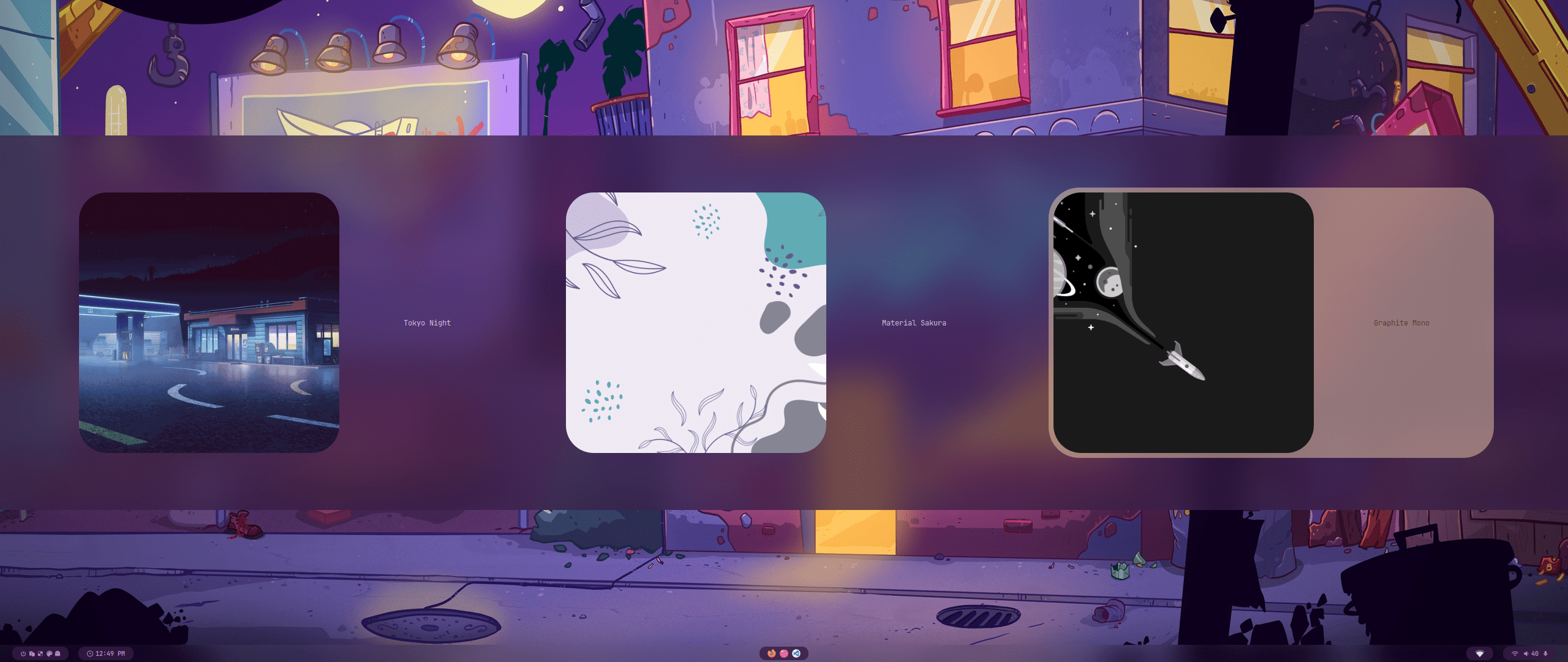
Capture 01 // Fullscreen
HyDE banner showcasing Hyprland Waybar and desktop theming
01 / 03

04. Documentation & Guide

Source: prasanthrangan/hyprdotsRef: 3c8b0dfb5e
README.md|GitHub Flavored Markdown
// design by t2

hyde_banner


⚠️ Deprecation Notice:

This repository is not maintained anymore.
Please refer to Hyde-project/hyde for the latest updates and contributions.

GitHub Flavored Markdown (github-markdown-css)● Live Repo Synced

05. Keyboard Shortcuts

Total: 5 shortcuts
SUPER + QShortcut
exec, kitty
Launch Kitty terminal
SUPER + CShortcut
killactive
Close active window
SUPER + SPACEShortcut
exec, rofi -show drun
Application launcher
SUPER + TShortcut
exec, themeselect.sh
Open theme switcher
SUPER + LShortcut
exec, swaylock
Lock screen